
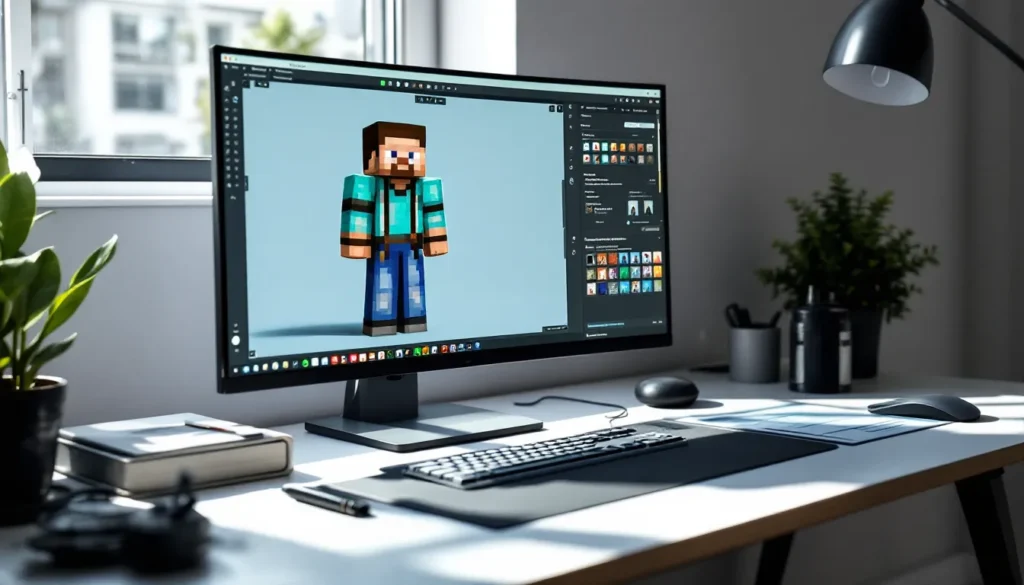
Minecraft skins are one of the first things other players notice about you. Whether you’re dropping into a survival world with friends, showing up to a server, or just exploring in creative mode, your character’s appearance sets the tone. The beauty of Minecraft is that you’re not locked into the default Steve or Alex, you can customize your skin to be anything from a historical figure to a fantasy character to a completely original design. But here’s where it gets tricky: understanding what skins are, where to get them, how to create them, and what’s actually allowed within the community takes some navigation. This guide walks you through every step of the Minecraft skin customization process, from the technical basics to uploading your finished creation.
Key Takeaways
- Minecraft skins are cosmetic texture files that let you express yourself visually without affecting gameplay, with Java Edition using standard 64×64 pixel PNG files.
- The official Minecraft Launcher and community repositories like Nova Skins and Planet Minecraft are the safest sources for downloading legitimate, moderation-reviewed Minecraft skins.
- Creating a custom Minecraft skin requires no expensive software—free online editors like Nova Skins let you design directly in your browser with live 3D previews and pixel-perfect control.
- Minecraft skin policies prohibit hateful imagery, sexually explicit content, and graphic violence to keep the game welcoming and safe for players of all ages.
- Popular Minecraft skin themes include fantasy medieval designs, anime-inspired characters, cyberpunk aesthetics, and custom roleplay skins that match character backstories.
- Upload your finished Minecraft skin through the official Launcher by navigating to the Skins section, ensuring your file is PNG format and matches approved dimensions (64×64, 128×128, or 256×256 pixels).
Understanding Minecraft Skin Basics
What Are Minecraft Skins And Why They Matter
A Minecraft skin is simply a texture file that changes how your character looks in-game. It’s a cosmetic layer that sits on top of your player model, it doesn’t affect gameplay, stats, or performance. Think of it like choosing a character model in other games: it’s purely visual. In Java Edition, skins are stored as PNG image files (usually 64×64 pixels, though 128×128 and 256×256 exist for higher-detail work). In Bedrock Edition (console, mobile, Windows 10+), skins work slightly differently and often use different file formats.
Why does it matter? Skins help you express yourself in a game that’s all about creativity. They let you stand out on multiplayer servers, represent your gaming identity, or just have fun looking like something completely ridiculous. On competitive servers or roleplay communities, skins are often a key part of immersion and player recognition. Custom skins also drive engagement, players spend time on them because they’re a permanent part of how they appear to the rest of the world.
Skin Dimensions And Technical Requirements
Dimensions matter when you’re working with skin files. The standard size is 64×64 pixels for Java Edition. This might sound tiny, but at that resolution, every pixel counts when you’re designing facial features or intricate patterns.
Here’s the breakdown:
- 64×64 pixels: The default and most widely compatible size. Works on every Java Edition client and is the standard upload size for most skin repositories.
- 128×128 pixels: Double the resolution, allowing for more detail. Some clients and servers support this, but it’s less universal.
- 256×256 pixels: The highest common resolution, used by advanced skinners for extremely detailed work. Not all clients support this without modifications.
The skin file is a flat 2D image that maps onto the 3D player model. The layout follows a specific structure: the front face, back, sides, top, and bottom of the head occupy specific pixel regions, and the same goes for the body, arms, and legs. Get the layout wrong, and your skin will look glitched with texture bleeding or missing parts.
For Bedrock Edition, skins can be imported as PNG files, but they’re often organized differently, and the dimensions vary depending on the specific skin pack or custom skin you’re using. Bedrock also supports geometry changes, meaning you can alter the shape of the player model itself, something Java Edition doesn’t allow without mods.
Legitimate Sources For Downloading Skins
Official And Community Skin Repositories
The safest place to grab a skin is directly from the official Minecraft Launcher. The launcher comes with a built-in skin repository that has been curated by Mojang Studios. You get access to hundreds of legitimate, safe, pre-made skins without any risk of malware or inappropriate content. This is always your safest bet if you just want something quick and you’re not picky about customization.
Beyond the launcher, several community-driven skin repositories exist. These platforms are maintained by the Minecraft community and have moderation systems to keep things clean. They typically allow you to search by theme (fantasy, historical, pop culture, etc.), sort by popularity, and download skins in bulk. Many of these sites also let creators upload their own work, which means you’ll find thousands of original, high-quality designs.
Popular Skin Websites And Marketplaces
Several websites host massive collections of Minecraft skins. These are the go-to spots for finding exactly what you want:
- Minecraft.net Skin Gallery: The official repository. Every skin here has been reviewed. You can’t go wrong starting here.
- Nova Skins: One of the most popular third-party sites. It has a massive database, excellent search filters, and a user-friendly editor built right into the site. You can preview skins in 3D before downloading.
- SkinsDB: Another solid community repository with thousands of skins organized by category. Downloads are straightforward, and the site is lightweight.
- Planet Minecraft: Beyond just skins, this platform hosts mods, maps, and seeds. The skin section is massive, and the community voting system helps surface quality work.
When downloading from any third-party site, verify that you’re on the legitimate domain and that your browser isn’t flagging it as suspicious. Stick to well-known, established communities. Avoid random download links from forums or Discord unless you’re certain of the source.
A crucial note: communities like Nexus Mods have expanded into Minecraft modding, including custom skins and skin packs, though Nexus is primarily known for other games. For Minecraft specifically, the sites listed above are more authoritative.
Creating Your Own Custom Minecraft Skin
Using Skin Creation Tools And Software
You don’t need expensive software to create a Minecraft skin. In fact, free web-based tools are often the best starting point. These tools remove the technical barrier and let you focus on design.
Online editors like Nova Skins, Skin Editor (on Minecraft.net), and Mineskin let you design directly in your browser. You get a pixel grid, color palette, and a live 3D preview of your model. Many creators never leave the browser because the workflow is that smooth.
If you want more control, image editing software gives you greater flexibility. Photoshop, GIMP (free), or even Aseprite (for pixel art specifically) let you work on the skin texture file directly. The catch is that you need to understand the skin layout, which pixels map to which part of the model. Most skin creators keep a template handy: a pre-made image showing the exact dimensions and layout so they don’t have to guess.
For Bedrock Edition creators, some tools allow geometry modification as well, but the barrier to entry is higher and the community support is smaller.
Step-By-Step Skin Design Process
Here’s how to go from blank canvas to finished skin:
Step 1: Choose Your Tool
Decide if you’re using an online editor or desktop software. For first-timers, Nova Skins or the Minecraft Launcher’s skin editor is ideal because the learning curve is minimal.
Step 2: Start With A Template Or Base
Don’t start from a blank 64×64 grid. Use an existing template, either a pre-made base skin or a blank template with grid lines showing the layout. Most online editors have templates built in: for desktop software, find a skin template file online.
Step 3: Design The Head First
The head is the most visible part. Focus on getting the face right, eyes, mouth, nose, and any distinctive features. Even subtle details matter here because the head is what players see first.
Step 4: Color The Body
Move to the torso, arms, and legs. Keep a consistent color palette and style. If your head is detailed and realistic, matching that detail level across the body creates cohesion. If your head is cartoonish, keep the body the same way.
Step 5: Add Details And Textures
Use smaller brushes or the pencil tool to add finer details: clothing patterns, armor plating, facial hair, scars, etc. This is where personality emerges.
Step 6: Preview In 3D
Most tools have a live 3D preview. Rotate the model, check for texture bleeding (where colors from one face bleed into another), and verify that the skin looks good from all angles.
Step 7: Save And Export
Save your skin as a PNG file. Make sure the dimensions match what you promised (64×64, 128×128, etc.) and that it’s properly formatted before you upload.
Designing a skin typically takes 30 minutes to an hour if you’re starting simple. Complex, detailed skins can take several hours. The best practice is to keep things clean and proportional, pixel-perfect alignment matters because you’re working at such a small scale.
Uploading And Installing Your Custom Skin
Installation Methods For Java And Bedrock Editions
Java Edition is the most straightforward. Open the Minecraft Launcher, click the “Skins” button, and select “Browse” to upload your PNG file directly. The launcher accepts 64×64, 128×128, and 256×256 pixel skins. Once uploaded, your skin is tied to your Mojang account and will appear on all servers and single-player worlds where you log in.
Alternatively, if you’re using a third-party launcher like MultiMC or Prism Launcher, the process is similar: navigate to the instance settings, find the skins folder, and drop your PNG file in. Some servers also allow you to upload skins directly through their website or a command: check your server’s documentation for specifics.
Bedrock Edition (console, mobile, Windows 10+) works differently. On Windows 10/11, you can import custom skins through the in-game settings, navigate to “Profile,” “Character Creator,” and upload a skin pack or PNG file. On console (PlayStation, Xbox, Nintendo Switch), you’re limited to pre-made skin packs from the Marketplace: custom skins aren’t supported in the same way, though some servers have workarounds.
On mobile (iOS, Android), custom skin support varies. You can usually import skins through the character creator if you have a file manager, but the process is less straightforward than desktop versions.
A key difference: Java Edition skins are stored server-side tied to your account, so they persist across all servers. Bedrock skins are device-specific, meaning if you switch devices, you may need to re-upload or re-purchase skins.
Troubleshooting Common Skin Issues
Sometimes skins don’t display correctly. Here are the most common problems and fixes:
The skin doesn’t upload. Check the file format (must be PNG), the dimensions (64×64, 128×128, or 256×256), and the file size (usually under 1 MB). If the launcher rejects it, try re-exporting the file and ensuring there’s no corruption.
Texture bleeding or overlapping. This happens when colors from one face of the model bleed into another. It’s usually a layout issue, you placed part of the texture in the wrong pixel region. Use a template to verify your layout is correct, and be careful not to paint outside the designated boundaries.
The skin looks different in-game than in the preview. This is typically a lighting or rendering difference. Minecraft’s lighting engine can make colors appear different in-game. If the preview looks right but in-game looks off, try adjusting colors slightly brighter or darker and re-uploading.
Skins not syncing across servers. In Java Edition, your skin is account-bound, so if it’s not showing up on a server, the server might be offline or your account might not have synced yet. Wait a few minutes and reconnect. If it persists, check that you’re logged into the correct account.
File permissions or access errors. If you’re uploading to a third-party website and get an error, clear your browser cache and try again. If the site itself is down, come back later.
For more detailed troubleshooting, Twinfinite’s Minecraft guides cover advanced configuration topics, though for skin-specific issues, the Minecraft forums and community wiki are often more helpful.
Popular Skin Themes And Design Trends
Minecraft skin trends shift with the game’s updates and pop culture moments. Right now, a few themes dominate the community.
Fantasy and medieval skins remain evergreen. Knights, wizards, elves, and fantasy warriors make up a huge portion of custom skins. These themes work well because they match the blocky, adventure-focused vibe of Minecraft itself. The aesthetic is timeless, fantasy skins from five years ago still look good today.
Anime and manga-inspired skins are hugely popular, especially in Asian and Western communities. Creators adapt characters from popular shows, or design original anime-style girls and boys with distinctive hair colors, eye styles, and clothing. The community that enjoys anime overlap significantly with the Minecraft community, so these skins spread quickly.
Cyberpunk and sci-fi skins have grown in popularity since cyberpunk became a mainstream aesthetic. Neon colors, sleek designs, and futuristic armor appeal to players who want something high-tech and edgy.
Pop culture references come and go. Celebrity skins, superhero skins, and character skins from other games or movies spike when movies release or trends blow up. For instance, skins based on popular streamers or content creators gain traction within their audiences.
Retro and nostalgia skins draw from 8-bit and 16-bit video game aesthetics. Pac-Man, Mario, Zelda, and Sonic-inspired designs appeal to retro gamers and carry that classic arcade energy.
Custom roleplay skins are huge on roleplay servers. Players commission or design elaborate skins that match their character’s backstory, a tavern keeper, a bandit, a noble, a scholar. These are often hyper-detailed and narratively specific.
When designing your own skin, consider what theme speaks to you. Don’t just copy what’s trending unless you genuinely like it. The best skins feel personal, they represent something about the player or their playstyle. A well-executed original design often stands out more than a generic trend-chasing skin.
Content Moderation And Minecraft Skin Guidelines
Appropriate Content Standards For Community Play
Minecraft is a game for all ages, and Mojang Studios enforces community standards to keep the environment welcoming and safe. When you create or upload a skin, you’re agreeing to follow these guidelines, even if you’re just using it in a private world.
On public servers and in community repositories, certain skin types are outright banned:
- Nudity or sexually explicit content is not allowed. This includes exaggerated or obvious depictions of intimate areas or sexual acts.
- Hateful imagery or symbols tied to discrimination, racism, or violence are prohibited. This includes swastikas, Nazi regalia, and other symbols of hate groups.
- Graphic violence (gore, extreme blood, mutilation) is generally not allowed in public spaces, though the bar varies by server.
- Real-world public figures in harmful or defamatory depictions can violate guidelines, though reasonable portrayals are usually okay.
- Impersonation of official accounts or staff is forbidden.
Why are these rules in place? Minecraft’s playerbase includes children, and the community is genuinely inclusive. Hateful or inappropriate content drives people away and creates a hostile environment. Servers that allow such content quickly develop reputations as toxic, and legitimate players avoid them.
Why Minecraft Enforces Skin Policies
Minecraft’s skin policies exist for practical and ethical reasons. First, enforcement keeps the game welcoming. A player shouldn’t have to see hateful imagery or explicit content just by joining a public server. Second, Mojang Studios has a responsibility to protect minors who play the game. Third, maintaining community standards protects the brand and the player experience.
It’s worth noting that the enforcement of these policies is imperfect. Moderation at scale is hard, and some inappropriate skins slip through. If you spot a skin that violates guidelines, most platforms have a report button. Community policing helps keep spaces clean.
For creators, the practical takeaway is simple: avoid content that’s hateful, explicit, or designed to harm. Stick to skins that you’d be comfortable showing to a wide audience. If you’re unsure whether something crosses the line, err on the side of caution. There are infinite skin possibilities that don’t require pushing boundaries, and Shacknews’ gaming guides occasionally cover community management topics that emphasize the importance of safe online spaces in multiplayer games.
Finally, remember that some servers have stricter rules than others. A roleplay server might have lore-specific skin requirements. A vanilla survival server might allow almost anything. A kids-only server will enforce rules more strictly. Always check your server’s skin policy before uploading.
Conclusion
Creating and customizing a Minecraft skin is one of the most accessible forms of character expression in gaming. You don’t need advanced art skills or expensive software, free online editors and a bit of creativity are enough to design something unique. The process from concept to upload takes less than an hour for simple skins, and the community is full of tutorials, templates, and inspiration to help you along the way.
The key is understanding the basics: skin dimensions and layout, where to find legitimate skins, how to use the available tools, and what community standards actually mean. Once you’ve got those down, you can either grab a pre-made skin from a repository or jump into custom design. Both paths are equally valid, it just depends on whether you want to express yourself through creation or through curation.
Whether you’re going for a fantasy knight, an anime character, a sci-fi warrior, or something completely original, your skin is part of how you show up in the Minecraft world. Make it count.
More Stories
Minecraft: The World Of Gaming Madness At ThePlayCentre — Your 2026 Guide
Inside ThePlayCentre Minecraft Archives: A 2026 Guide To Maps, Builds, And Community History
Bane Of Arthropods In Minecraft: Master The Enchantment In 2026 (ThePlayCentre Guide)